用 Ink 写 TUI!
2026年2月24日 · 1322 字.md
Ink 是一个能让你用写 React 应用的思路写终端应用的库,并且由于它是一个 React 的渲染器,所以 React 的大多数特性仍然可用,所以可以像写 React App 那样写 Ink。Claude Code 的 CLI 就曾使用 Ink 构建
使用 npx create-ink-app --typescript my-ink-cli 创建一个新的 ink 项目。
Ink 使用了类似 React Native 的 Box 布局,比如,一个基本的 Ink App 可能长这样:
import React from 'react';
import {render, Box, Text} from 'ink';

const App:React.FC = () => (
	<Box>
	   <Text color="blue">Hello World</Text>
	</Box>
);

render(<App />);
这里
Box不能嵌套在Text中
Text 接受一些常见的参数用来控制文字的行为,比如 color/backgroundColor/bold/underline/dimColor/strikethrough ... vadimdemedes/ink: 🌈 React for interactive command-line apps
Box 是一个常见的盒子布局,本质上是一种 Flexbox, 可以通过 flexDirection: 'row' | 'column'/ gap/margin/padding/width/height/justify-content/align-items/... 等参数控制样式和行为,和 CSS 控制基本一样。vadimdemedes/ink: 🌈 React for interactive command-line apps
Ink 也提供了一些 hooks,比如 useInput vadimdemedes/ink: 🌈 React for interactive command-line apps ,可以用于管理输入状态,比如创建一个简单的命令系统:
import {useInput} from 'ink';

const UserInput = () => {
	useInput((input, key) => {
		if (input === 'q') {
			process.exit(0)
		}

		if (key.leftArrow) {
			// Left arrow key pressed
		}
	});

	return …
};
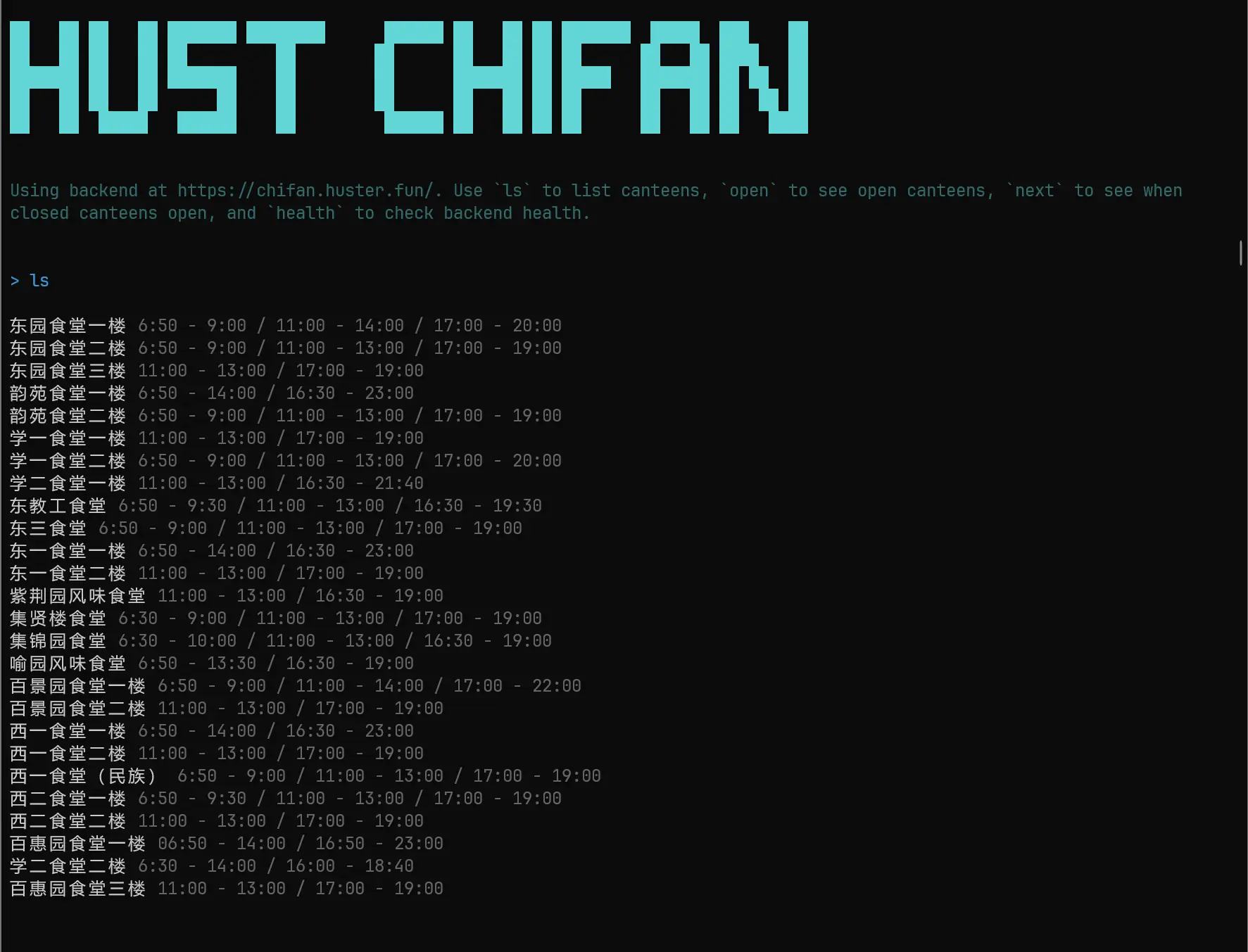
我用它构建了新的 HUST-Chifan,提供了一个还不错的能跑就行的 Hono 后端)和一个同样 能跑就行的 TUI 。使用 bun 快速冷启动项目并在本地跑起来 terminal!
最终结果: